
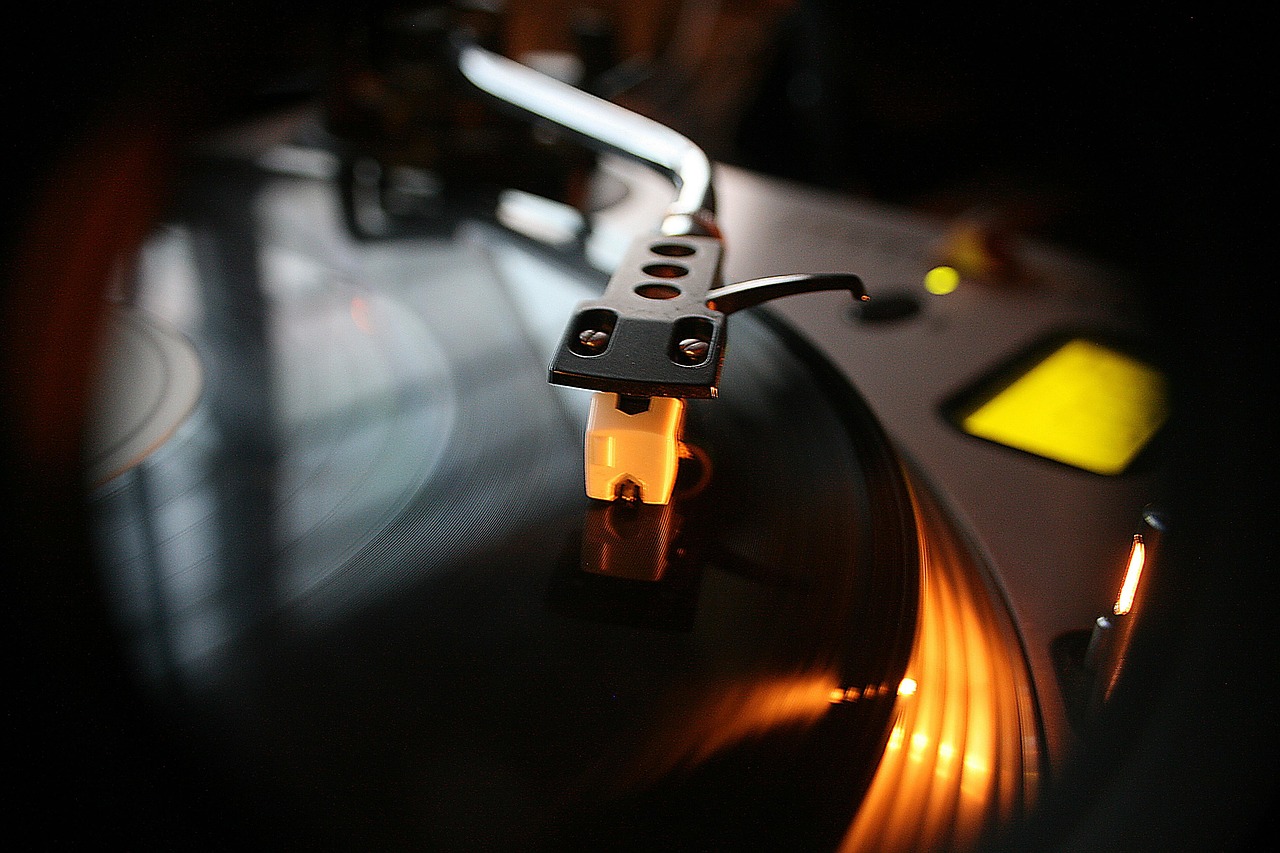
In today’s content-driven world, audio is everywhere. From blockbuster movies and chart-topping music to podcasts and online courses, high-quality sound is no longer a luxury but a fundamental expectation. Yet, the magic behind that pristine audio often goes unnoticed. This is where audio production steps in—a captivating blend of art and science that transforms raw sound into a polished, impactful listening experience. Whether you’re an aspiring musician, a podcaster, a filmmaker, or simply someone passionate about sound, understanding the intricate world of audio production is your gateway to creating truly compelling content.
The Foundation: Understanding Audio Production
Audio production is a multifaceted process that encompasses every step of creating a final audio product, from the initial recording to the ultimate delivery. It’s about much more than just hitting record; it’s about shaping emotions, enhancing clarity, and ensuring your message resonates with your audience.
What is Audio Production?
At its core, audio production involves capturing, manipulating, and enhancing sound. It’s a journey that takes raw sound waves and transforms them into a professional-grade auditory experience. This journey typically involves several key stages:
- Pre-production: Planning, arranging, writing, and preparing for the recording session.
- Recording: Capturing audio using microphones and other input devices.
- Editing: Cleaning up tracks, correcting mistakes, arranging sections.
- Mixing: Balancing levels, applying effects, and creating a cohesive soundstage.
- Mastering: The final polish, ensuring optimal loudness and sonic quality for distribution.
Practical Example: Imagine a band recording a song. Audio production starts when they compose the music, continues through the meticulous placement of microphones on each instrument, the hours spent in the digital audio workstation (DAW) balancing levels and adding effects, and concludes with the mastering engineer optimizing the track for streaming platforms.
Why Quality Matters in Audio Production
In an age where content is abundant, sound quality is a critical differentiator. Poor audio can instantly detract from even the most brilliant content, leading to listener fatigue and disengagement. Conversely, professional audio elevates the user experience, establishes credibility, and ensures your message is heard loud and clear.
- Engagement: High-quality audio keeps listeners hooked. Studies show that people are more likely to abandon content with poor sound than poor visuals.
- Professionalism: Polished audio reflects well on your brand, project, or artistic endeavor.
- Clarity: Ensures vocals are intelligible and instruments are distinct, delivering your message effectively.
- Emotional Impact: Well-produced sound can evoke specific emotions, enhancing storytelling and musicality.
Actionable Takeaway: Invest time and effort into understanding and implementing good audio production practices. The return on investment in listener satisfaction and professional credibility is immense.
Essential Gear for Your Audio Production Studio
Building a successful audio production workflow begins with the right tools. While you don’t need to break the bank, understanding the core components of a recording setup is crucial for any aspiring producer or engineer.
Digital Audio Workstations (DAWs)
The DAW is the heart of your audio production studio – it’s software where you record, edit, mix, and arrange your audio. Choosing the right DAW depends on your needs, budget, and workflow preference.
- Pro Tools: Industry standard for professional studios, robust for mixing and post-production.
- Logic Pro X: Mac-only, incredibly powerful for music production, excellent value.
- Ableton Live: Popular for electronic music, live performance, and creative sound design.
- FL Studio: Widely used for beat making and electronic music, intuitive interface.
- Reaper: Affordable, highly customizable, and incredibly efficient for any task.
Practical Tip: Many DAWs offer free trials. Download a few and experiment to see which one feels most intuitive for your workflow before committing.
Microphones: Your Ears to the World
Microphones are transducers that convert sound waves into electrical signals. Different types excel in different scenarios.
- Condenser Microphones: Highly sensitive, excellent for capturing detailed vocals, acoustic instruments, and studio recordings. Require phantom power.
- Example: Rode NT1, Neumann TLM 103.
- Dynamic Microphones: Rugged, less sensitive, ideal for loud sources like drums, electric guitars, and live vocals.
- Example: Shure SM57, Shure SM58.
- Ribbon Microphones: Known for their warm, vintage sound, delicate and often used for specific tonal qualities.
Actionable Takeaway: Start with a versatile condenser microphone for vocals and acoustic instruments, and a robust dynamic mic for louder sources if your budget allows. Quality microphones are a sound investment for clear recordings.
Audio Interfaces: The Bridge to Your Computer
An audio interface is a crucial piece of hardware that connects your microphones and instruments to your computer. It houses high-quality preamps and analog-to-digital (AD) converters.
- Key Features: Number of inputs/outputs, preamp quality, sample rate, bit depth, direct monitoring, phantom power.
- Benefits: Superior sound quality compared to onboard computer audio, reduced latency for recording, dedicated inputs for instruments.
Practical Example: A Focusrite Scarlett 2i2 is a popular entry-level interface, offering two mic/instrument inputs, phantom power, and high-quality preamps, perfect for a home studio setup.
Monitoring: Hearing Your Sound Accurately
Accurate monitoring is paramount for making informed mixing and mastering decisions. You need to hear your audio as truthfully as possible.
- Studio Monitors: Specifically designed for flat frequency response, meaning they don’t color the sound, allowing you to hear true imperfections.
- Example: KRK Rokit series, Yamaha HS series.
- Studio Headphones: Over-ear, closed-back headphones are excellent for tracking (to prevent bleed) and critical listening in untreated rooms. Open-back headphones can offer a more natural soundstage for mixing.
- Example: Sennheiser HD 280 Pro (closed-back), Beyerdynamic DT 990 Pro (open-back).
Actionable Takeaway: Invest in a pair of good studio monitors and complementary studio headphones. Listen to commercial mixes you admire on your monitors to train your ears and understand how professional tracks translate.
The Art of Recording: Capturing Pristine Sound
Recording is where the magic begins. A great recording forms the foundation of a great mix and master. Without clean, well-captured audio, even the most skilled engineer will struggle to create a professional product.
Microphone Placement Techniques
Where you place your microphone dramatically impacts the sound it captures. Experimentation is key, but here are some starting points:
- Vocal Recording: Typically 6-12 inches from the pop filter, slightly off-axis to reduce plosives and sibilance. Experiment with distance for intimacy (closer) or a more open sound (further).
- Acoustic Guitar: Often a condenser mic pointed at the 12th fret for a balanced sound, or two mics (one at 12th fret, one near the bridge) for stereo imaging.
- Electric Guitar Cab: A dynamic mic (like an SM57) close to the speaker cone, experimenting with distance from the center to the edge for different tonal characteristics.
- Proximity Effect: The closer a directional mic is to a sound source, the more bass response it will have. Use this intentionally or avoid it when not desired.
Practical Example: For a powerful lead vocal, you might use a large-diaphragm condenser microphone positioned about 8 inches away, slightly above the singer’s mouth, pointing down. This can capture both intimacy and clarity.
Acoustic Treatment: Taming Your Room
Your recording space is the most influential “gear” you own. Untreated rooms can cause reflections, standing waves, and muddy frequencies, making your recordings sound unprofessional.
- Absorption: Foam panels or rock wool bass traps placed at first reflection points (where sound reflects off walls into your mic/ears) reduce echoes and flutter.
- Diffusion: Panels with uneven surfaces scatter sound waves, creating a more natural and spacious sound field, often used on the rear wall.
- Isolation: Minimizing external noise from entering your recording space (e.g., closing windows, using heavy curtains).
Actionable Takeaway: Even a simple home studio can benefit immensely from basic acoustic treatment. Start by identifying first reflection points with a mirror and placing absorption panels there. This is often more impactful than upgrading your mic.
Gain Staging: The Foundation of Clean Audio
Proper gain staging involves setting healthy input levels throughout your signal chain. This ensures a strong signal-to-noise ratio without introducing distortion.
- Set your microphone preamp gain so that your input signal peaks around -12dB to -6dB in your DAW.
- Avoid clipping (when the signal goes above 0dB), which causes irreversible digital distortion.
- Aim for consistent levels throughout the take.
Practical Tip: Always record with plenty of headroom. It’s much easier to turn a quiet signal up later than to fix a clipped signal.
Mixing Magic: Shaping Your Sound
Mixing is the art of blending all recorded tracks into a cohesive, balanced, and sonically pleasing stereo image. This stage is where your raw recordings truly come to life.
Equalization (EQ): Sculpting Frequencies
EQ allows you to boost or cut specific frequencies, shaping the tonal character of each instrument and ensuring everything has its own space in the mix.
- High-Pass Filter (HPF): Removes unwanted low-end rumble and mud from instruments that don’t need it (e.g., vocals, guitars).
- Low-Pass Filter (LPF): Removes harsh high-end frequencies.
- Boost vs. Cut: Often, it’s more effective to cut problematic frequencies than to boost desired ones. Think subtractive EQ first.
Practical Example: If your bass guitar and kick drum sound muddy together, you might use an HPF on the bass around 50-60Hz and boost the kick drum’s fundamental frequency in that range, while perhaps scooping out a bit of the bass around the kick’s primary punch frequency (e.g., 100-200Hz).
Compression: Taming Dynamics and Adding Punch
Compressors reduce the dynamic range of a signal, making the loudest parts quieter and the quietest parts louder, resulting in a more consistent and impactful sound.
- Threshold: The level at which the compressor starts working.
- Ratio: How much the signal is compressed once it crosses the threshold (e.g., 4:1 means a 4dB increase above threshold becomes a 1dB increase).
- Attack & Release: How quickly the compressor reacts and disengages.
- Make-up Gain: Used to bring the overall level back up after compression.
Actionable Takeaway: Use compression subtly to glue elements together or aggressively to add punch and sustain. Aim for about 3-6dB of gain reduction on most sources for a natural sound, though vocals or drums might require more.
Reverb & Delay: Creating Space and Depth
These time-based effects add spaciousness, depth, and character to your mix.
- Reverb: Simulates the natural reflections of a physical space (e.g., concert hall, plate, room). Use sends/returns for efficiency and consistency.
- Delay: Creates echoes and rhythmic repeats, from subtle slap-back to long, ethereal trails.
Practical Tip: Use a single reverb send for all elements that need to sound like they’re in the same “room” to create a cohesive soundstage.
Panning & Stereo Imaging: Giving Elements Their Own Space
Panning positions sounds left or right in the stereo field, while stereo imaging tools manipulate the width and depth of the overall sound.
- Vocal Focus: Lead vocals are almost always centered.
- Balance: Pan instruments to create a balanced stereo image, often mirroring elements (e.g., hi-hat left, ride cymbal right).
- Stereo Enhancers: Can make specific elements or the whole mix sound wider, but use with caution to avoid phase issues.
Actionable Takeaway: Close your eyes and visualize where each instrument is positioned in your mix. Does it feel balanced? Is there enough space for everything?
Mastering the Finish Line: Polishing for Perfection
Mastering is the final crucial step in audio production. It’s the process of optimizing your mixed stereo track for distribution, ensuring it sounds its best across all playback systems and meets loudness standards.
What is Audio Mastering?
Mastering is often referred to as the “final polish.” A mastering engineer’s role is to:
- Optimize Loudness: Bring the track to competitive commercial loudness levels without squashing dynamics.
- Ensure Consistency: Make sure all tracks on an album or EP have a consistent sonic character and volume.
- Translate Across Systems: Ensure the audio sounds great on headphones, car stereos, club PAs, and streaming platforms.
- Correct Minor Flaws: Address any subtle frequency imbalances or harshness that might have been missed in the mix.
Statistical Insight: The shift to streaming services has made loudness normalization (LUFS) a critical consideration in mastering, moving away from the “loudness wars” of the past. Services like Spotify and Apple Music target specific LUFS levels (-14 LUFS and -16 LUFS respectively), meaning overly loud masters will be turned down.
Key Mastering Tools and Concepts
While mixing focuses on individual tracks, mastering works with the entire stereo file.
- Limiting: The most crucial mastering tool, used to increase the overall perceived loudness of a track by catching peaks and preventing clipping. A good limiter should be transparent.
- Multi-band Compression: Allows compression to be applied to specific frequency ranges independently, useful for taming harsh highs or muddy lows without affecting the entire track.
- Stereo Widening: Can subtly enhance the stereo image of the entire track, though often done carefully to avoid phase issues.
- Equalization: Used for subtle overall tonal adjustments, not surgical fixes (which should happen in mixing).
Practical Tip: Always master your mixes with about 3-6dB of headroom (meaning your mix’s peaks don’t go above -3dB to -6dB) to give the mastering engineer (or yourself) enough space to apply processing without distortion.
Preparing Your Mix for Mastering
The quality of your master is directly dependent on the quality of your mix. Follow these guidelines:
- No Clipping: Ensure your final stereo mix doesn’t clip (exceed 0dB).
- Turn Off Limiter/Compressor on Master Bus: Unless you know exactly what you’re doing, remove any brickwall limiters or heavy compression from your master output before bouncing.
- Export as High-Resolution WAV/AIFF: Use the same sample rate and bit depth as your project (e.g., 44.1 kHz/24-bit or 48 kHz/24-bit).
- Listen Critically: Take breaks, listen in different environments, and reference commercial tracks.
Actionable Takeaway: While self-mastering is possible with practice, consider hiring a professional mastering engineer for critical projects. Their fresh ears, specialized tools, and acoustically treated environment can make a significant difference in the final product’s quality and competitiveness.
Conclusion
Audio production is a journey of continuous learning, creativity, and technical refinement. From capturing the initial sound waves to polishing the final master, each stage demands attention to detail and a keen ear. By understanding the essential gear, mastering recording techniques, and applying the principles of mixing and mastering, you empower yourself to create audio that not only sounds good but truly connects with your audience.
Remember, the goal isn’t just technical perfection; it’s about conveying emotion, clarity, and impact. So, dive in, experiment with your tools, listen critically, and never stop refining your craft. The world is waiting to hear your unique sound. Start your audio production adventure today, and transform your sonic visions into a captivating reality.