
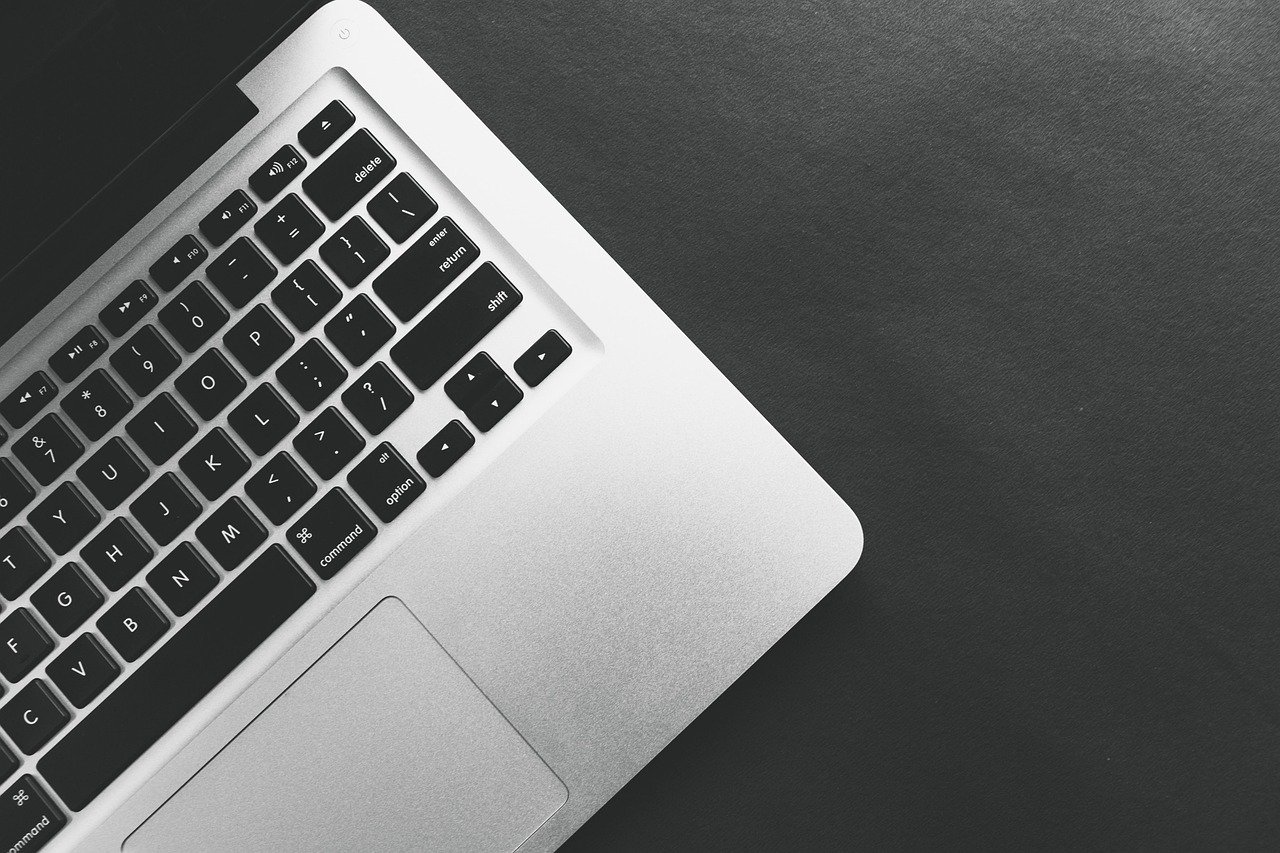
In an age increasingly defined by the digital, it’s easy to get lost in the intangible world of software, apps, and cloud services. Yet, beneath every pixel, every line of code, and every seamless online experience lies a fundamental, tangible truth: hardware. These physical components are the unsung heroes, the very foundation upon which our modern digital lives are built. From the smartphone in your pocket to the supercomputer simulating galaxies, hardware powers everything. Understanding its intricate components, relentless evolution, and proper care isn’t just for tech enthusiasts; it’s essential knowledge for anyone navigating the 21st century. Join us as we delve into the fascinating world of hardware, unraveling its complexities and uncovering its vital role in shaping our present and future.
Understanding the Core: What is Hardware?
At its most basic, computer hardware refers to the physical components that constitute a computer system or any electronic device. Unlike software, which is a set of instructions or programs, hardware is something you can touch, see, and feel. It’s the tangible infrastructure that software runs on, making it the bedrock of all digital operations.
Definition and Distinction
Hardware encompasses everything from the tiny transistors on a microchip to the large chassis of a server rack. It includes both the internal components that make a computer function and the external peripherals that allow us to interact with it.
- Hardware: The physical elements. Examples: CPU, RAM, hard drive, keyboard, monitor.
- Software: The non-physical instructions and data. Examples: Operating systems (Windows, macOS), applications (Microsoft Word, Photoshop), games.
Think of it like the human body: your organs, bones, and muscles are the hardware, providing the structure and capabilities. Your thoughts, memories, and personality are the software, directing how your body performs tasks and interacts with the world.
Why Hardware Matters
The quality and configuration of your hardware directly impact the performance, reliability, and capabilities of any digital system. Without robust hardware, even the most innovative software would be rendered useless.
- Performance: Faster processors, more RAM, and quicker storage lead to smoother operation, quicker loading times, and better multitasking.
- Reliability: Well-built components from reputable manufacturers tend to last longer and reduce the risk of system failures.
- Compatibility: Hardware components must be compatible with each other and with the software they intend to run, ensuring a seamless experience.
- Capabilities: Specific hardware, like a powerful graphics card, enables specialized tasks such as high-fidelity gaming, video editing, or complex scientific simulations.
Actionable Takeaway: Recognizing that understanding basic hardware empowers you to make smarter purchasing decisions and troubleshoot common tech issues more effectively. Don’t just look at the software; appreciate the power of the underlying physical components.
The Essential Components of a Modern Computer System
A modern computer system is a complex orchestra of interconnected components, each playing a crucial role. Understanding these core pieces is vital to appreciating how your device works and how to optimize its performance.
The Central Processing Unit (CPU)
Often referred to as the “brain” of the computer, the CPU is responsible for executing instructions and performing calculations. It’s the primary component that carries out the basic arithmetic, logical, control, and input/output operations specified by the software.
- Key Specifications:
- Cores: The number of individual processing units (e.g., dual-core, quad-core, octa-core). More cores generally mean better multitasking.
- Clock Speed: Measured in Gigahertz (GHz), indicating how many instruction cycles the CPU can handle per second.
- Threads: Allows a single core to handle multiple tasks concurrently, improving efficiency.
- Practical Examples: Intel’s Core i7 and i9 series, AMD’s Ryzen 7 and Ryzen 9 series are popular choices for high-performance computing and gaming.
Actionable Tip: When choosing a CPU, consider your primary use case. A powerful multi-core CPU is essential for video editing or 3D rendering, while a CPU with high single-core clock speed might be prioritized for certain gaming scenarios.
Random Access Memory (RAM)
RAM is the computer’s short-term memory, used to store data that the CPU needs to access quickly. Unlike long-term storage, RAM is volatile, meaning data is lost when the computer is turned off.
- Key Specifications:
- Capacity: Measured in Gigabytes (GB). Common capacities are 8GB, 16GB, 32GB, and 64GB. More RAM allows for more applications to run simultaneously without slowdowns.
- Speed: Measured in Megahertz (MHz), indicating how fast data can be accessed.
- Type: DDR4 and the newer DDR5 are current standards, offering improved bandwidth and efficiency.
- Benefit: Adequate RAM significantly improves multitasking capabilities and overall system responsiveness. If your computer feels sluggish when you have many tabs open or multiple applications running, a RAM upgrade is often the first step.
Storage Devices
Storage devices hold your data permanently, from your operating system and applications to your personal files like photos and documents.
- Types:
- Hard Disk Drives (HDDs): Traditional, mechanical storage. They are cost-effective for large capacities but slower.
- Solid State Drives (SSDs): Modern, flash-based storage. Significantly faster than HDDs, improving boot times, application loading, and overall system responsiveness.
- SATA SSDs: Connect via the SATA interface, faster than HDDs.
- NVMe SSDs: Connect via the PCIe interface, offering vastly superior speeds, often 5-7 times faster than SATA SSDs.
- Practical Example: Upgrading from an HDD to an SSD (especially an NVMe SSD) is often considered the single most impactful upgrade for a noticeable boost in everyday computer performance. Many users opt for a smaller, fast SSD for the operating system and frequently used programs, coupled with a larger, more affordable HDD for mass storage.
The Motherboard
The motherboard is the main circuit board that connects all the computer’s components. It acts as the central communication hub, allowing the CPU, RAM, storage, and other peripherals to work together.
- Key Role: It determines the compatibility of other components (e.g., which CPU socket type it supports, how much RAM it can hold, and which types of storage drives it accommodates).
- Components: Includes expansion slots (PCIe for graphics cards), USB ports, audio jacks, and network ports.
Graphics Processing Unit (GPU)
While the CPU handles general computing tasks, the GPU is specialized hardware designed for rapid image and video processing. It’s crucial for anything that involves displaying graphics.
- Types:
- Integrated GPU: Built into the CPU, suitable for basic tasks, web browsing, and light multimedia.
- Dedicated GPU: A separate, powerful card with its own memory (VRAM), essential for gaming, video editing, 3D rendering, and AI workloads.
- Examples: NVIDIA’s GeForce RTX series and AMD’s Radeon RX series are leading brands for dedicated GPUs, offering different performance tiers and features.
Power Supply Unit (PSU)
The PSU is responsible for converting alternating current (AC) from the wall outlet into direct current (DC) that the computer components can use. It’s the heart of the power delivery system.
- Key Specifications:
- Wattage: Must be sufficient to power all components in the system. An underpowered PSU can lead to instability or component damage.
- Efficiency: Rated with 80 Plus certifications (Bronze, Silver, Gold, Platinum, Titanium), indicating how efficiently it converts power, reducing waste heat and electricity consumption.
- Crucial for Stability: A stable and reliable PSU is paramount for the longevity and performance of your entire system. Don’t skimp on this component!
Actionable Takeaway: Building or buying a computer requires a holistic approach. A balanced system, where components are chosen to complement each other and meet specific performance goals, will always outperform a system with one or two overpowered parts bottlenecked by weaker ones.
Peripheral Power: Expanding Your Hardware Horizons
Beyond the core components inside your computer, a vast array of peripherals allow you to interact with your system, connect to networks, and perform specialized tasks. These external hardware devices significantly enhance usability and functionality.
Input Devices
Input devices are how users send data and commands to the computer, translating physical actions into digital signals.
- Key Examples:
- Keyboard: For typing text and commands. Varieties include mechanical, membrane, ergonomic, and gaming keyboards.
- Mouse: For navigation and cursor control. Options range from basic optical mice to advanced gaming mice with programmable buttons and high DPI sensors.
- Webcam & Microphone: Essential for video conferencing, streaming, and voice commands.
- Scanner: Converts physical documents or images into digital files.
- Touchscreen: Allows direct interaction with the display, common in smartphones, tablets, and some laptops/monitors.
- Gaming Controllers: Joysticks, gamepads, racing wheels, and VR headsets for immersive gaming experiences.
- Tip: Investing in ergonomic peripherals, like an ergonomic keyboard or mouse, can significantly improve comfort and prevent repetitive strain injuries during long periods of use.
Output Devices
Output devices are how computers communicate information back to the user, displaying results or executing actions based on commands.
- Key Examples:
- Monitor/Display: Visual output of the computer’s interface and applications. Key specs include resolution (1080p, 4K), refresh rate (60Hz, 144Hz+), panel type (IPS, VA, TN), and response time.
- Printer: Produces physical copies of digital documents. Types include inkjet, laser, and 3D printers.
- Speakers & Headphones: Deliver audio output. Quality varies from basic desktop speakers to high-fidelity studio monitors or noise-canceling headphones.
- Projector: Displays images onto a large screen or surface, common in presentations and home theaters.
- Practical Example: A graphic designer might prioritize a monitor with high color accuracy and resolution, while a competitive gamer would opt for a high-refresh-rate monitor with low response time for a smoother, more responsive experience.
Networking Hardware
Networking hardware facilitates communication between computers and other devices, enabling internet access, file sharing, and remote work.
- Key Examples:
- Router: Directs network traffic between devices in a local area network (LAN) and manages internet access. Supports Wi-Fi (wireless) and Ethernet (wired) connections.
- Modem: Connects your home network to your Internet Service Provider (ISP). Often integrated into routers.
- Network Interface Card (NIC): Allows a computer to connect to a network. Most modern motherboards have integrated NICs, but dedicated cards can offer faster speeds or wireless capabilities.
- Switches: Connect multiple network devices within a LAN, allowing them to communicate.
- Access Points: Extend wireless network coverage in larger spaces.
- Benefit: A robust and properly configured networking setup ensures reliable and fast internet access throughout your home or office, crucial for productivity and entertainment.
Actionable Takeaway: Choosing the right peripherals can dramatically improve your productivity, entertainment, and overall computing experience. Evaluate your daily needs and invest in devices that genuinely enhance those activities, rather than settling for basic options.
Hardware Evolution: Trends Shaping the Future
The world of hardware is in a perpetual state of innovation, driven by new technologies and increasing demands. Staying abreast of these trends provides insight into where computing is headed and how it will impact our lives.
The Rise of AI and Machine Learning Hardware
Artificial Intelligence (AI) and Machine Learning (ML) are transforming industries, and specialized hardware is at the forefront of this revolution. Traditional CPUs and GPUs are capable of AI tasks, but dedicated AI chips are emerging for greater efficiency.
- Specialized Chips:
- Tensor Processing Units (TPUs): Developed by Google, optimized for neural network workloads.
- Neural Processing Units (NPUs): Integrated into newer CPUs and mobile chipsets to accelerate AI tasks directly on devices (edge AI).
- AI Accelerators: Dedicated cards or modules designed to handle the massive parallel computations required for training and deploying AI models.
- Impact: This specialized hardware is enabling faster AI development, more efficient inference at the edge (on devices themselves), and unlocking new possibilities in fields like autonomous driving, medical diagnostics, and natural language processing.
Internet of Things (IoT) and Edge Computing
The IoT involves billions of connected devices, from smart home gadgets to industrial sensors, all generating and transmitting data. This proliferation demands hardware that is small, energy-efficient, and capable of processing data closer to its source (edge computing).
- Hardware Characteristics:
- Miniaturization: Compact form factors for seamless integration into everyday objects.
- Low Power Consumption: Crucial for battery-powered devices and long-term deployment.
- Integrated Connectivity: Built-in Wi-Fi, Bluetooth, 5G, or other wireless communication modules.
- Enhanced Security: Hardware-level security features to protect sensitive data on numerous distributed devices.
- Example: Smart thermostats, fitness trackers, smart doorbells, and industrial sensors are all examples of IoT devices that rely on specialized, efficient hardware to function autonomously.
Quantum Computing: The Next Frontier
Still largely in the research and development phase, quantum computing represents a radical departure from classical computing. Instead of bits, quantum computers use qubits, which can exist in multiple states simultaneously, allowing for exponentially more complex calculations.
- Revolutionary Potential:
- Solving problems currently intractable for even the most powerful supercomputers.
- Breakthroughs in drug discovery, materials science, financial modeling, and cryptography.
- Current Status: Quantum computers require extremely specialized hardware, often operating at temperatures near absolute zero. While practical applications for general users are still decades away, the foundational hardware research is rapidly advancing.
Sustainability in Hardware Manufacturing
As technology proliferates, so does electronic waste (e-waste) and the environmental impact of manufacturing. There’s a growing push for more sustainable hardware practices.
- Key Initiatives:
- Eco-Friendly Materials: Using recycled plastics, conflict-free minerals, and biodegradable components.
- Energy Efficiency: Designing components that consume less power throughout their lifecycle.
- Modularity and Repairability: Creating devices that are easier to repair and upgrade, extending their lifespan.
- Responsible Recycling: Programs for consumers to safely dispose of and recycle old electronics.
- Consumer Action: Support brands that demonstrate a commitment to sustainability and prioritize product longevity over planned obsolescence. Consider the lifecycle impact of your hardware choices.
Actionable Takeaway: Staying informed about these evolving hardware trends isn’t just about future-proofing your knowledge; it helps you understand the direction of technology, make more informed purchasing decisions, and contribute to a more sustainable digital future.
Choosing and Maintaining Your Hardware: Practical Tips
Owning hardware is an investment, and like any investment, it requires careful consideration during purchase and diligent maintenance to ensure longevity and optimal performance. Here’s how to get the most out of your hardware.
Buying Guide: Matching Hardware to Your Needs
Don’t buy hardware based solely on price or hype. Tailor your choices to your specific requirements.
- Define Your Primary Use:
- Gaming: Prioritize a powerful GPU, fast CPU, ample RAM, and high-refresh-rate monitor.
- Professional Workstation (Video Editing, CAD): Focus on multi-core CPU, abundant RAM (32GB+), fast NVMe SSDs, and a capable GPU.
- General Productivity/Study: A balanced mid-range CPU, 8-16GB RAM, and an SSD will suffice.
- Casual Browsing/Media: Even entry-level modern hardware can handle these tasks comfortably.
- Set a Realistic Budget: Hardware prices can vary wildly. Determine how much you’re willing to spend and allocate it strategically across components.
- Research Compatibility: Ensure all components (especially CPU, motherboard, and RAM) are compatible before purchasing. Use online compatibility checkers.
- Read Reviews and Benchmarks: Don’t rely solely on manufacturer claims. Look for independent reviews and performance benchmarks to gauge real-world performance.
Tip: Consider future-proofing to some extent. For example, buying a motherboard that supports a slightly more powerful CPU than you initially need can save you from a full system overhaul later.
Essential Maintenance for Longevity
Proper care significantly extends the life and performance of your hardware, potentially saving you money on repairs or replacements.
- Keep it Clean:
- Dusting: Use compressed air to regularly clear dust from fans, heat sinks, and vents. Dust buildup is a leading cause of overheating and component failure.
- Cable Management: Organize internal cables for better airflow and easier maintenance.
- Monitor Temperatures: Use software (e.g., HWMonitor, MSI Afterburner) to keep an eye on CPU and GPU temperatures. High temperatures indicate poor cooling or heavy workload.
- Software Updates:
- Drivers: Keep your graphics card, chipset, and other device drivers updated for optimal performance and bug fixes.
- BIOS/UEFI: Periodically check for motherboard BIOS updates, which can improve stability, add features, and support newer CPUs.
- Safe Shutdowns: Always shut down your computer properly rather than forcing a power off, which can corrupt data or damage components.
Statistic: Studies suggest that regular dusting and temperature monitoring can extend the lifespan of internal PC components by up to 20%, preventing premature wear and tear.
Troubleshooting Common Hardware Issues
When something goes wrong, a methodical approach can help you diagnose and potentially fix the problem.
- “Is it plugged in?”: The classic first step. Check all power cables and data connections (monitor, keyboard, mouse, internal drives).
- Restart: Often, a simple reboot can resolve temporary glitches.
- Listen for Beep Codes: Many motherboards emit a series of beeps on startup if there’s a hardware fault. Refer to your motherboard manual to interpret these codes.
- Isolate the Problem: If possible, try removing non-essential components (e.g., extra RAM sticks, add-in cards) to see if the issue persists. Test components individually if you have spares.
- Check Device Manager (Windows) / System Report (macOS): Look for hardware listed with errors or unknown devices.
- Resource: Utilize online forums, manufacturer support pages, and community troubleshooting guides.
Upgrading Your System Strategically
You don’t always need a whole new computer. Strategic upgrades can breathe new life into an aging system.
- Identify Bottlenecks: Use performance monitoring tools (Task Manager, Activity Monitor) to see which component is consistently at 100% usage during heavy tasks. Common bottlenecks are CPU, GPU, or RAM.
- Prioritize Impactful Upgrades:
- SSD Upgrade: Often the most impactful upgrade for overall system responsiveness if you’re still on an HDD.
- RAM Upgrade: If you frequently run out of memory (e.g., 8GB struggling with multiple apps), increasing RAM is a cost-effective solution.
- GPU Upgrade: Essential for significantly boosting gaming performance or accelerating graphic-intensive applications.
- CPU Upgrade: More complex, often requires a new motherboard and potentially new RAM, but can provide a substantial performance jump for CPU-bound tasks.
- Check Compatibility: Always verify that new components are compatible with your existing motherboard and power supply.
Actionable Takeaway: Proactive research before buying, consistent maintenance during use, and strategic upgrades when needed will ensure your hardware investment delivers maximum value and performance over its lifespan. Treat your hardware well, and it will serve you faithfully.
Conclusion
From the intricate microprocessors powering our most complex computations to the simple yet essential peripherals that facilitate our interaction, hardware is the bedrock of our digital world. It’s a dynamic and endlessly fascinating field, continually evolving to meet the demands of an ever-connected, data-rich society.
We’ve explored the core components that make a computer tick, the diverse peripherals that extend its capabilities, and the groundbreaking trends—like AI hardware, IoT, and quantum computing—that are shaping tomorrow. We’ve also armed you with practical advice on choosing, maintaining, and upgrading your hardware, empowering you to make informed decisions and extend the life of your valuable tech investments.
As technology continues its relentless march forward, the physical infrastructure that supports it will only grow in complexity and importance. By understanding hardware, you gain not just technical knowledge, but a deeper appreciation for the ingenuity that underpins our digital lives. So, the next time you marvel at a stunning graphic or a lightning-fast application, remember the silent, powerful hardware working tirelessly beneath the surface, making it all possible. Stay curious, stay informed, and embrace the tangible power of hardware!